

Salesforce Address Search Package | Address Validation with OpenStreetMap API

The Salesforce Address Search Package is a powerful and scalable solution designed to automate address validation and standardization inside Salesforce. The package integrates Salesforce with OpenStreetMap/Nominatim APIs to validate address information, standardize State and Country values, and improve CRM data accuracy. Using Apex callouts, Queueable Apex processing, fuzzy matching algorithms, and Salesforce State & Country […]

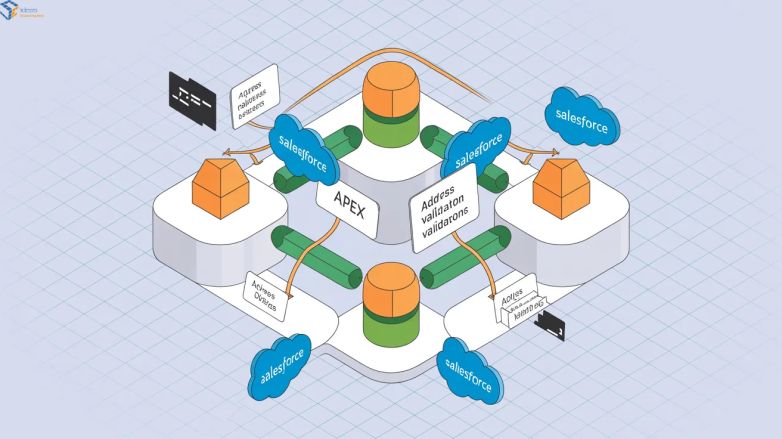
Address Search Package: Intelligent Address Validation and Standardization in Salesforce with Scideas

Introduction  The Address Search Package is a Salesforce-based intelligent address validation and standardization solution designed to improve address data quality inside Salesforce. The package integrates with the OpenStreetMap/Nominatim API and uses Apex-based fuzzy matching logic to identify the best matching State and Country values from user-provided address information.  The solution supports automated address validation using

Building a Scalable Address Validation Framework in Salesforce Using Middleware and Apex

Problem Statement:  Organizations using Salesforce often face major challenges related to inaccurate, incomplete, inconsistent, or duplicate address data stored across Leads, Accounts, Contacts, Opportunities, Orders, and other business records.  Users frequently enter addresses manually, which leads to spelling mistakes, missing state or country values, inconsistent formatting, invalid postal information, and non-standardized address records.  These data quality issues

Check daily limit in Salesforce org

Check daily limit in Salesforce org Workbench will be used to track the daily limits of a salesforce org. 1. Logged into the organization where you want to verify your limits. 2. Open workbench. URL: https://workbench.developerforce.com 3. Accept any OAuth prompts to complete authentication 4. Go to REST Explorer. 5. From the options presented select:

Apex to transfer Image

Salesforce apex to send image file to 3rd party using REST API

Salesforce apex to send image file to 3rd party using REST API //attObj is an Object of Attachment object for which values will be coming from Visualforce page. //Attachment attObj = new attachment(); public pagereference customsave(){ String fileName = attObj.name; Blob file_body = attObj.body; String targetURL = system.label.ImageUploadEndPointURL; //API End point URL String boundary =

Scroll to Top