
In today’s data-driven business environment, keeping information up to date is essential for better decision-making. Salesforce provides several features that help businesses manage customer information, sales activities, and business operations efficiently. One useful feature is Salesforce Relative Date Filters, which lets users filter records based on changing date ranges without manually updating them.
Whether you are tracking sales opportunities, monitoring customer activities, or analysing support cases, relative date filters help keep your reports and dashboards relevant. At Scideas Solutions, we help businesses make better use of Salesforce through CRM development, customization, integration, and automation services.
What Are Salesforce Relative Dates?
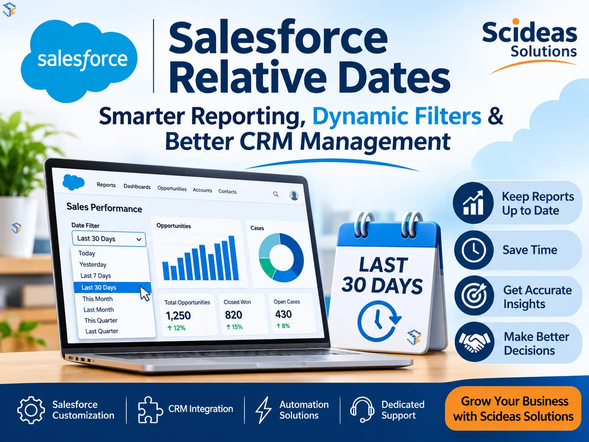
Salesforce Relative Dates are dynamic date filters that automatically adjust according to the current date. Instead of selecting a fixed date range, users can choose expressions such as TODAY, YESTERDAY, LAST WEEK, THIS MONTH, NEXT 30 DAYS, or THIS QUARTER.
For example, if you create a report using the LAST 30 DAYS filter, Salesforce automatically displays records from the latest 30-day period whenever the report runs.
This functionality is particularly useful for businesses that regularly monitor sales performance, customer interactions, marketing campaigns, and service activities.
Why Are Relative Date Filters Important in Salesforce?
Manually updating date filters can consume time and increase the chances of reporting errors. Relative date filters simplify this process by automatically adjusting the selected period.
Some important benefits include:
- Automated Reporting: Keep reports updated without changing date conditions manually.
- Better Data Accuracy: Apply consistent date-based criteria across reports and dashboards.
- Time Savings: Reduce repetitive administrative tasks.
- Improved Decision-Making: Access relevant information for current business activities.
- Enhanced Productivity: Help sales, marketing, and support teams focus on important tasks.
By using dynamic date conditions, businesses can maintain consistent reporting and improve their daily workflows.
Common Salesforce Relative Date Filters with Examples
Salesforce provides different relative date expressions for tracking records across various time periods.
Here are some commonly used filters:
| Relative Date Filter | Purpose |
| TODAY | Displays records matching the current date |
| YESTERDAY | Displays records from the previous day |
| LAST 7 DAYS | Shows records from the previous seven days |
| LAST WEEK | Displays records from the previous calendar week |
| THIS MONTH | Shows records from the current month |
| LAST MONTH | Displays records from the previous month |
| NEXT 30 DAYS | Shows records within the upcoming 30-day period |
| THIS QUARTER | Displays records from the current quarter |
| LAST QUARTER | Shows records from the previous quarter |
| THIS YEAR | Displays records from the current calendar year |
Salesforce also supports fiscal date filters, such as THIS FISCAL QUARTER and LAST FISCAL YEAR. These filters follow the fiscal year configuration of your Salesforce organization.
How Relative Dates Work in Salesforce Reports
Reports are among the most common places to use relative date filters. Instead of selecting fixed dates every time, users can configure dynamic conditions that automatically update when the report runs.
For example, a sales manager can create an Opportunity Report using CLOSE DATE equals NEXT 30 DAYS. This report will display opportunities expected to close within the upcoming period.
Similarly, a customer support manager can use CREATED DATE equals LAST 7 DAYS to monitor recently created support cases.
These filters help teams review important business activities while reducing the need for repeated report modifications.
Using Relative Dates in Salesforce Dashboards
Salesforce dashboards provide a visual overview of business performance through charts, tables, and reports. Relative date filters make these dashboards more useful by keeping the underlying information updated.
Some practical examples include:
- Sales Dashboard: Track opportunities closing in the next 30 or 60 days.
- Marketing Dashboard: Monitor campaigns created during the current month.
- Customer Support Dashboard: Review cases received during the last seven days.
- Management Dashboard: Compare quarterly and yearly business performance.
With properly configured filters, decision-makers can access relevant business information and respond to changing requirements more effectively.
Applying Relative Date Filters in Salesforce List Views
Salesforce List Views allow users to organize and display records according to specific conditions. Relative date filters can also be used to make these views more dynamic.
For example, sales representatives can create an Opportunity List View with CLOSE DATE equals NEXT MONTH. This helps them identify upcoming deals and plan follow-up activities.
Similarly, account managers can use CREATED DATE equals THIS MONTH to review recently added customer records.
These dynamic views reduce manual work and help employees manage their daily responsibilities more efficiently.
Salesforce Date Functions for Advanced Filtering
Businesses sometimes require more specific date conditions than the standard relative filters provide. Salesforce formula functions can help create customized date-based calculations.
Some commonly used functions include:
- TODAY(): Returns the current date.
- ADDMONTHS(): Adds a specified number of months to a date.
- DATE(): Creates a date value using year, month, and day.
- DAY(): Returns the day of the month from a date.
- YEAR(): Returns the year from a date.
For example, a business can use TODAY() and ADDMONTHS() in a formula to calculate a date six months ahead. These functions support more flexible business logic and reporting requirements.
Best Practices for Using Salesforce Relative Dates
To get better results from relative date filters, businesses should follow a few important practices:
- Choose the Correct Date Field: Select the appropriate field, such as Created Date, Close Date, or Last Modified Date.
- Understand Calendar and Fiscal Dates: Check your organization’s fiscal year settings before applying fiscal filters.
- Test Filter Conditions: Verify the results to ensure that the selected date range meets your reporting requirements.
- Avoid Unnecessary Fixed Dates: Use dynamic filters for reports that require regular updates.
- Review Dashboard Performance: Ensure that dashboard filters provide meaningful information to the intended users.
Following these practices can improve reporting consistency and make Salesforce data easier to manage.
How Scideas Solutions Helps Businesses with Salesforce
At Scideas Solutions, we provide Salesforce development and CRM services that help businesses streamline their processes and improve customer relationship management.
Our Salesforce services include:
- Salesforce CRM Development and Customization
- Salesforce Sales Cloud and Service Cloud Solutions
- Salesforce Reports and Dashboard Configuration
- Salesforce Data Migration and Integration
- Salesforce Automation and Workflow Development
- Apex Development and Lightning Web Components (LWC)
- Salesforce Maintenance and Technical Support
Our team focuses on understanding business requirements and delivering solutions that align with specific operational goals. From customizing existing Salesforce environments to developing new CRM functionalities, we help businesses improve productivity and manage their data more effectively.
Final Thoughts
Salesforce Relative Dates provide a simple yet effective way to manage dynamic reporting, dashboards, and business records. By replacing frequently updated fixed-date conditions with flexible filters, organizations can save time, improve reporting accuracy, and make better use of their CRM data.
Whether you want to monitor sales opportunities, track customer activities, or analyse business performance, relative date filters can make everyday Salesforce operations more efficient.
Scideas Solutions helps businesses unlock the full potential of Salesforce through customized CRM solutions, integrations, automation, and dedicated technical support. Connect with our team to explore Salesforce solutions that support your business growth.